|
|
|
|
|
| |
Microangelo Toolset 6.0
"The Grand Daddy of Icon Software"
|
|
Toolset includes four integrated icon utilities: an icon editor,
icon manager, icon explorer and animated cursor editor. All tools work together and
provide complete support for hi-resolution, 256x256 icons and selectable PNG image compression! |
|
|
|
| Studio |
| Librarian |
| Explorer |
| Animator |
 |
| |
|
|
| |

Icon Editor
Make icons and cursors for all versions of Windows with Toolset's
icon editor, Microangelo Studio.
Create and Design
- Create and edit
images in all sizes and color formats, including 256x256 (hi-res) images.
- Studio's precision tools
are specifically designed to create outstanding miniature graphics.
- Create custom gradients with
unlimited colors and transparency levels.
- Draw smooth anti-aliased edges
- Paint with adjustable opacity,
and add dithering/dodge/burn effects
- Preview window displays the
actual size image and “real time” results while creating icons or cursors
More
- PNG compression for any icon
image format.
- Import PSD, PNG, JPG and BMP
graphics
|
 |
Preview
 |
Create
Icons
|
 |
Precision
Drawing Tools
|
 |
Create Custom Gradients |
|

Icon Manager
Microangelo Librarian is an all-purpose icon management tool used to create icon libraries,
access, organize and edit icons, and search and extract icon resources.
Access
- Open
Icon Library files (ICL) and all types of program files (DLL, EXE, OCX, etc...)
- View options
include Specific and Raw modes to isolate specific image formats or
view ALL image formats.
Organize
- Drag and drop icons from
folders into libraries, from libraries into folders (as ICO), or between
Librarian windows.
- Identify duplicate
icons automatically and optionally Select or Remove them.
- Isolate specific image
formats. Librarian's Edit options can be used to easily select and remove
unwanted image formats or entire icons.
- Add names to
icons and select Sort by Name for quick location.
Edit, Update and Replace
- Edit program icons
inside application files. Double-click any
icon to edit it directly with Microangelo Studio.
- Change
icons in program files. Simply right-click the icon select Update or Replace
to update existing images or replace the entire icons.
Search and Extract
- Automatically search
and extract icons from files, folders - even entire disk drives - with Librarian's
Search Files option!
- Drag and drop folders
or disk drives from Microangelo Explorer into Librarian to quickly Search
and Extract.
|
|
Screen shots
(Click for full-size images)
|
 |
Isolate Specific Formats
|
 |
View/Access all Formats
|
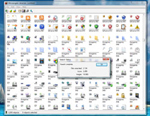 |
Search and Extract Icons
|
 |
Replace Icons in program Files
|
|

Icon Explorer
Browse any folder with Microangelo Explorer to view information and access to all file formats
that contain icons and cursors.
Home Base
- Launch Studio, Animator, or Librarian from Explorer
- All Toolset components will accept a
file dragged from Explorer into their main windows
- Double-click any icon or
cursor to edit it with Microangelo Studio or Animator.
- Double-click any Icon Library or
Program file to access the icons they contain with Microangelo Librarian.
- Drag and drop folders
or disk drives into Microangelo Librarian to quickly Search and Extract.
Browsing and Viewing
- Browse networks, computers, drives
and folders for icons and cursors
- Displays ALL files that contain icons and cursors
- File view pane includes "Details"
viewing mode, displaying how many icons each file contains.
- Right-click animated cursor files
to load and view them as your current cursor!
|
|
Screen shots
(Click for full-size images)
|
 |
Toolset Explorer Screenshot
|
|

Animated Cursor Editor
Create and edit animated cursors.
Animation Editing
- Edit "frames" of animated
cursors with the same rich set of drawing tools and options available in Microangelo Studio.
- Preview window provides an actual
size, real-time display of edit operations as you work
Color and Size Formats
- Animator can create and edit
cursors in B/W, 16-color, 256-color, True Color, and full high-color depths
- Automatically resize animated cursors
to Windows requirement of 32x32 pixels
|
|
Screen shots
(Click for full-size image)
|
 |
Animation Screenshot |
|
|
| |
Microangelo Toolset's icon editor and utilities are Compatible with all versions of Windows. Includes 32-bit and 64-bit installations. Toolset 6 has been tested and proven
to deliver a superior experience with a PC running Windows 7 thru Windows 10.
|
|
|
|
|
|






)
)
)
)
)